



As an Amazon Associate I earn from qualifying purchases.
How to Use Imagimake Mapology Physical Features of World – 3D World Puzzle
Introduction
This guide will help beginners understand how to use the Imagimake Mapology puzzle effectively. Follow these simple steps for a fun and educational experience!
Unboxing the Puzzle
- Carefully open the box and remove all the contents.
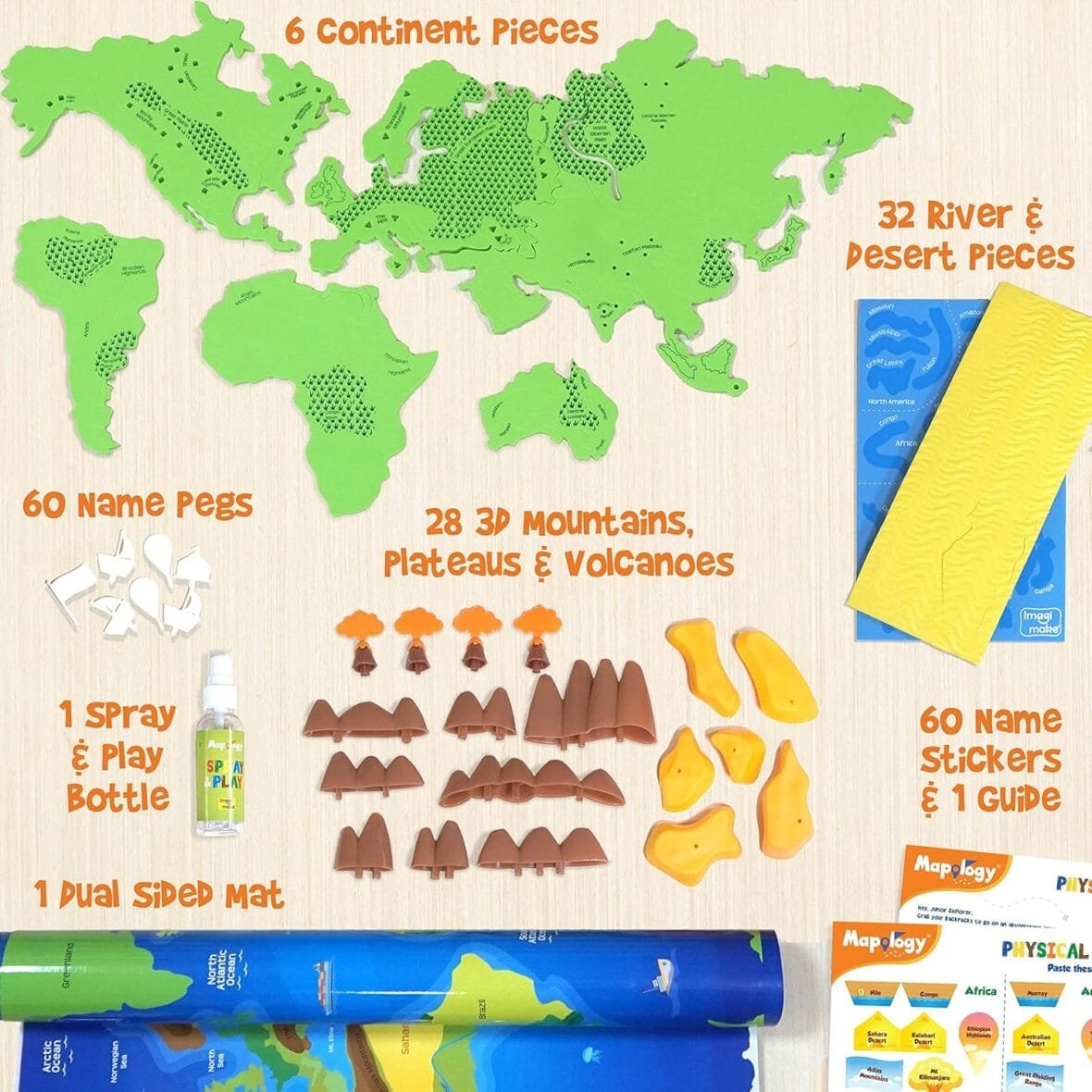
- Check the list to ensure you have all the pieces:
- 6 continent pieces
- 1 dual-sided mat
- 23 3D mountains & plateaus
- 32 river, lake & desert pieces
- 60 name pegs
- 60 name stickers
- 1 spray & play bottle
- 1 information & construction guide
Setting Up the Puzzle
- Place the dual-sided mat on a flat surface.
- Choose which side to start with:
- Political Map: Focus on the geographical locations of features.
- Physical Map: Learn about topographical features like mountains and lakes.
- Refer to the information guide for insights about the features you will be assembling.
Assembling the Puzzle
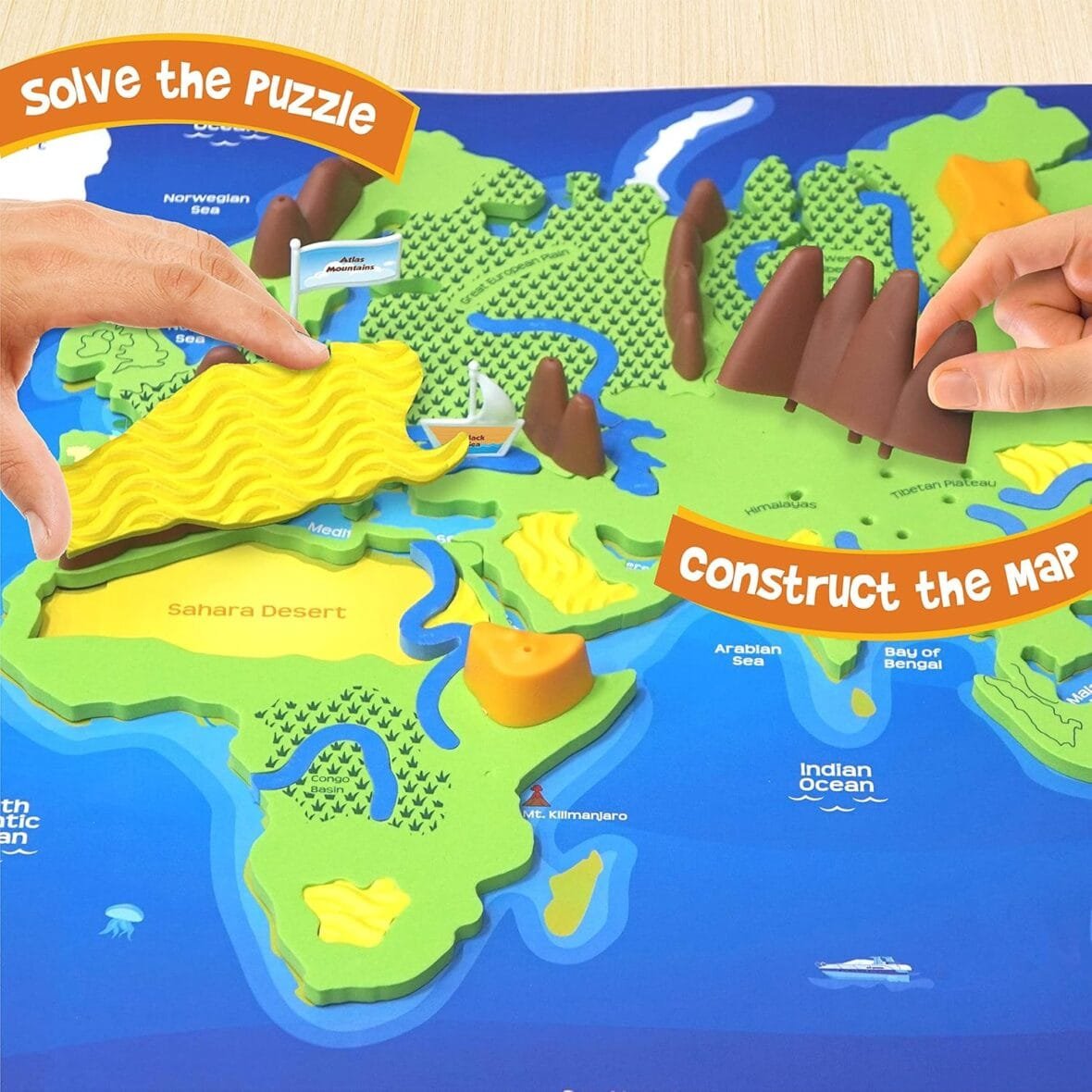
- Begin by connecting the continent pieces on the mat.
- Use the river, lake, and desert pieces to fill in the map:
- Identify where each piece fits based on the map.
- Place the pieces in their respective locations.
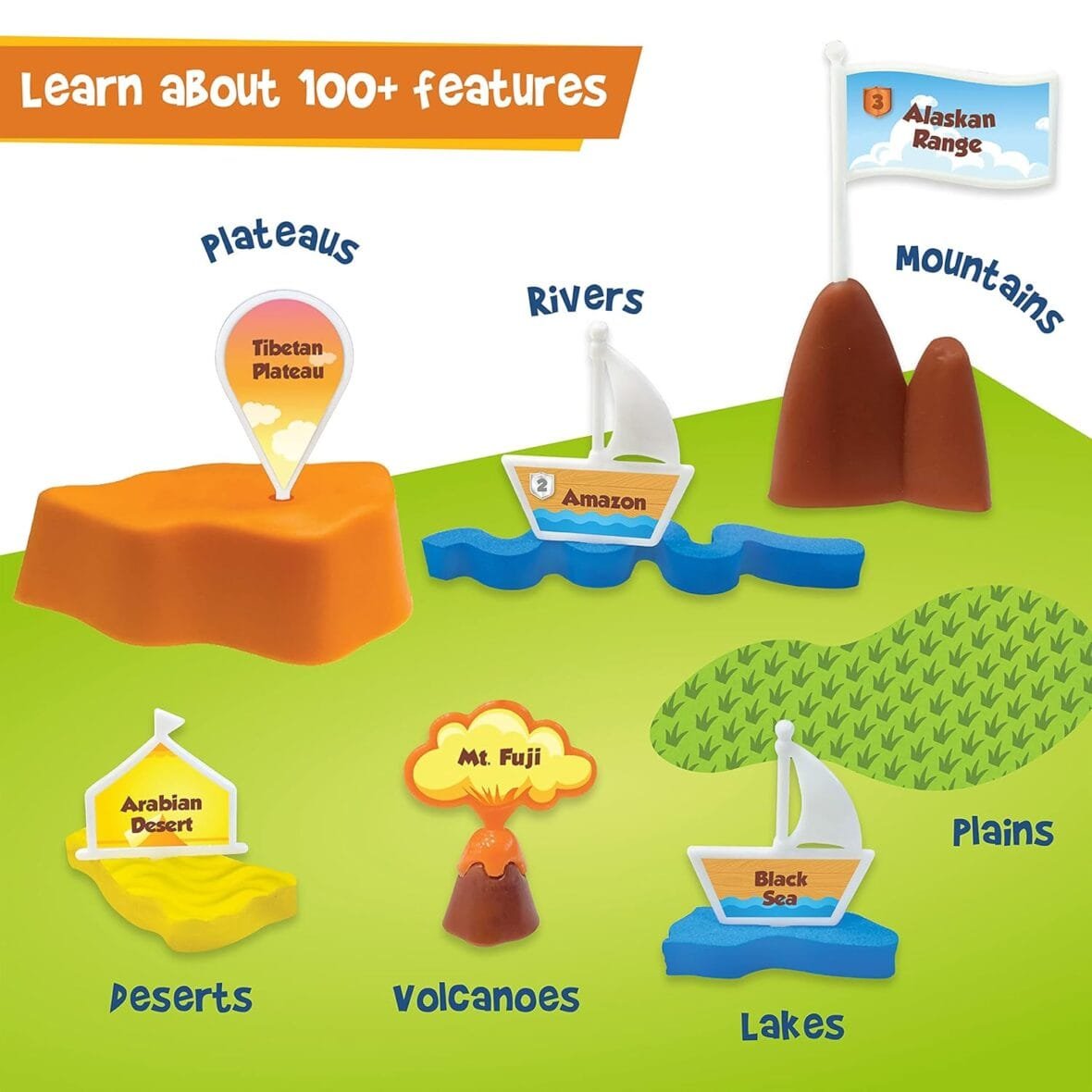
- Add the 3D mountains, volcanoes, and plateaus to enhance your map.
Learning While Playing
- As you place each piece, read the fun facts from the information guide.
- Use the name pegs and stickers to label each geographical feature.
- Encourage creative thinking and memory skills by discussing the features as you build.
Final Touches
- Once completed, admire your 3D world map!
- Engage in discussions with family or friends about what you’ve learned.
- Store the pieces in the box for future use, ensuring all parts are accounted for.
Enjoy Your Learning Experience!
With the Imagimake Mapology puzzle, you can explore the physical features of the world while having fun. Enjoy your educational journey!